spec-kit-bdd
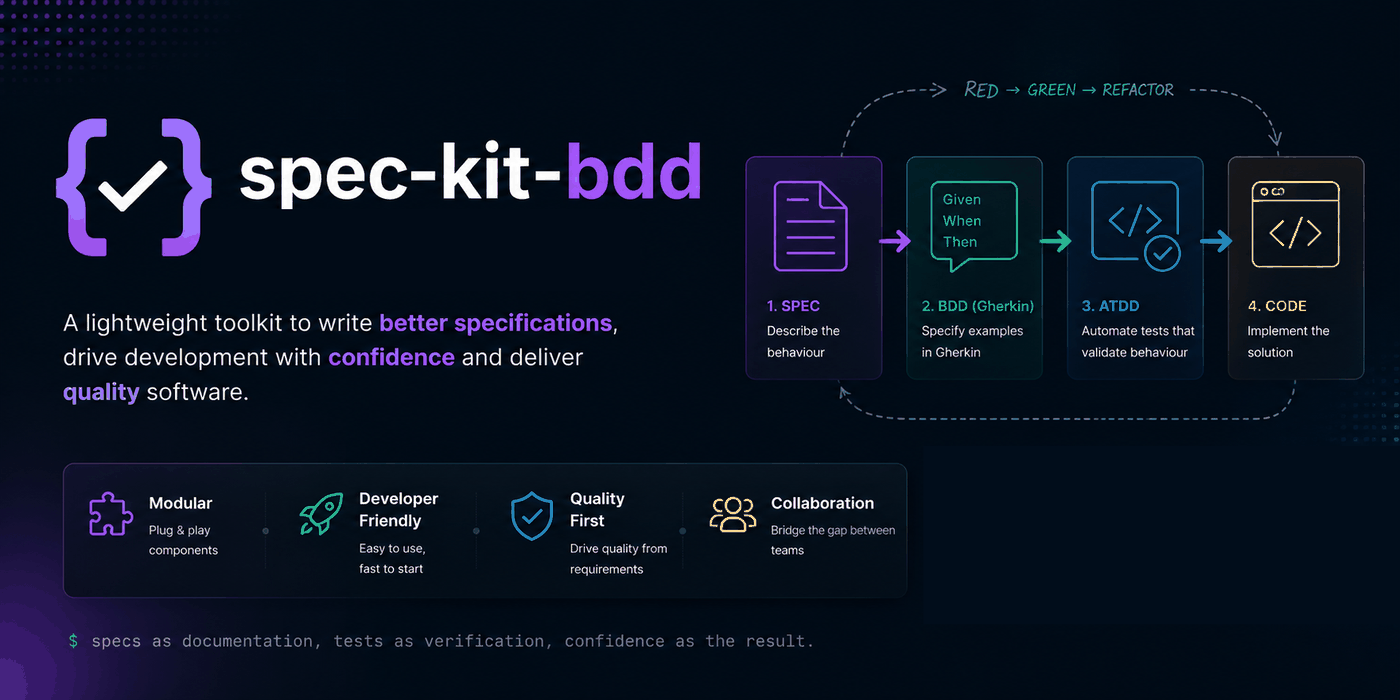
A spec-kit community extension that adds Behavior-Driven Development and Acceptance Test-Driven Development to the spec-driven workflow — acceptance criteria become executable scenarios before implementation starts.
Build quality in, don't inspect it in afterward
Lean software development treats anything that doesn't directly deliver value to the user as waste — rework from misread requirements, code built against specs nobody validated, defects caught late instead of early. That's the core teaching behind Lean Software Development: An Agile Toolkit: build quality into the process instead of inspecting for it afterward.
spec-kit-bdd applies that here. Acceptance criteria become executable Gherkin scenarios before implementation starts, and step definitions fail (RED) until the code they describe actually satisfies them (GREEN). Ambiguity in a spec surfaces as a failing scenario before any code is written — instead of as a bug report or a misaligned feature after the fact.
How this differs from writing tests the usual way
Compared to hand-rolled Cucumber/Behave/SpecFlow, or spec-kit without BDD at all.
Traceability by default
Scenarios are generated automatically from your spec-kit specification and verified by /speckit.bdd.verify — no hand-maintained mapping between spec and tests.
Tests exist before code
/speckit.bdd.scaffold runs before implementation as part of the spec-kit lifecycle itself — not whenever the team gets around to it.
Zero new runtime
A YAML manifest and Markdown prompt files. No new framework to install and configure per language, unlike a standalone Cucumber/Behave/SpecFlow setup.
See docs →Coverage gaps surface automatically
Gaps show up in features/TRACEABILITY.md, generated for you — instead of relying on manual auditing or no mechanism at all.
Spec → scenarios → tests → code
The full spec-kit lifecycle, with three commands slotted in so tests exist before code.
Describe the behaviour with /speckit.specify.
Specify examples with /speckit.bdd.scenarios — RED.
Scaffold failing steps with /speckit.bdd.scaffold — still RED.
Standard spec-kit: /speckit.plan then /speckit.tasks.
Implement with /speckit.implement until GREEN.
Close the loop with /speckit.bdd.verify.
Steps 2, 3, and 6 are what spec-kit-bdd adds to your normal spec-kit flow.
| Command | What it produces |
|---|---|
/speckit.bdd.scenarios | Gherkin .feature files from your spec-kit specification |
/speckit.bdd.scaffold | Step definition stubs (Python, JS, Ruby, Java, C#) ready to implement |
/speckit.bdd.verify | A traceability matrix mapping spec requirements ↔ scenarios |
From spec to green tests
Install the extension into an existing spec-kit project:
specify extension add bdd --from https://github.com/RSginer/spec-kit-bdd/archive/refs/tags/v1.0.3.zipThat adds six commands to spec-kit's own lifecycle. Here's the full workflow, spec to green tests:
Write what you want to build
Start a spec-kit feature the usual way — nothing BDD-specific yet.
/speckit.specifyConvert acceptance criteria to Gherkin
Generates features/*.feature files from the spec you just wrote. Tests are written — RED. Review them, they define what the system must do.
/speckit.bdd.scenariosScaffold step definitions
Generates step definition stubs that raise NotImplementedError (or the framework equivalent). Tests are now runnable — still RED.
/speckit.bdd.scaffoldPlan the implementation
Back to standard spec-kit: break the spec into an implementation plan and a task list, now informed by the scenarios above.
/speckit.plan
/speckit.tasks
Implement until every scenario passes
Write code until your step definitions go GREEN.
/speckit.implementVerify full spec coverage
Produces features/TRACEABILITY.md, mapping every spec requirement to the scenario that covers it, and flags any gaps.
/speckit.bdd.verifyWhat you need
- spec-kit
>=0.2.0 - Any AI coding agent supported by spec-kit (Claude, Copilot, Cursor, etc.)